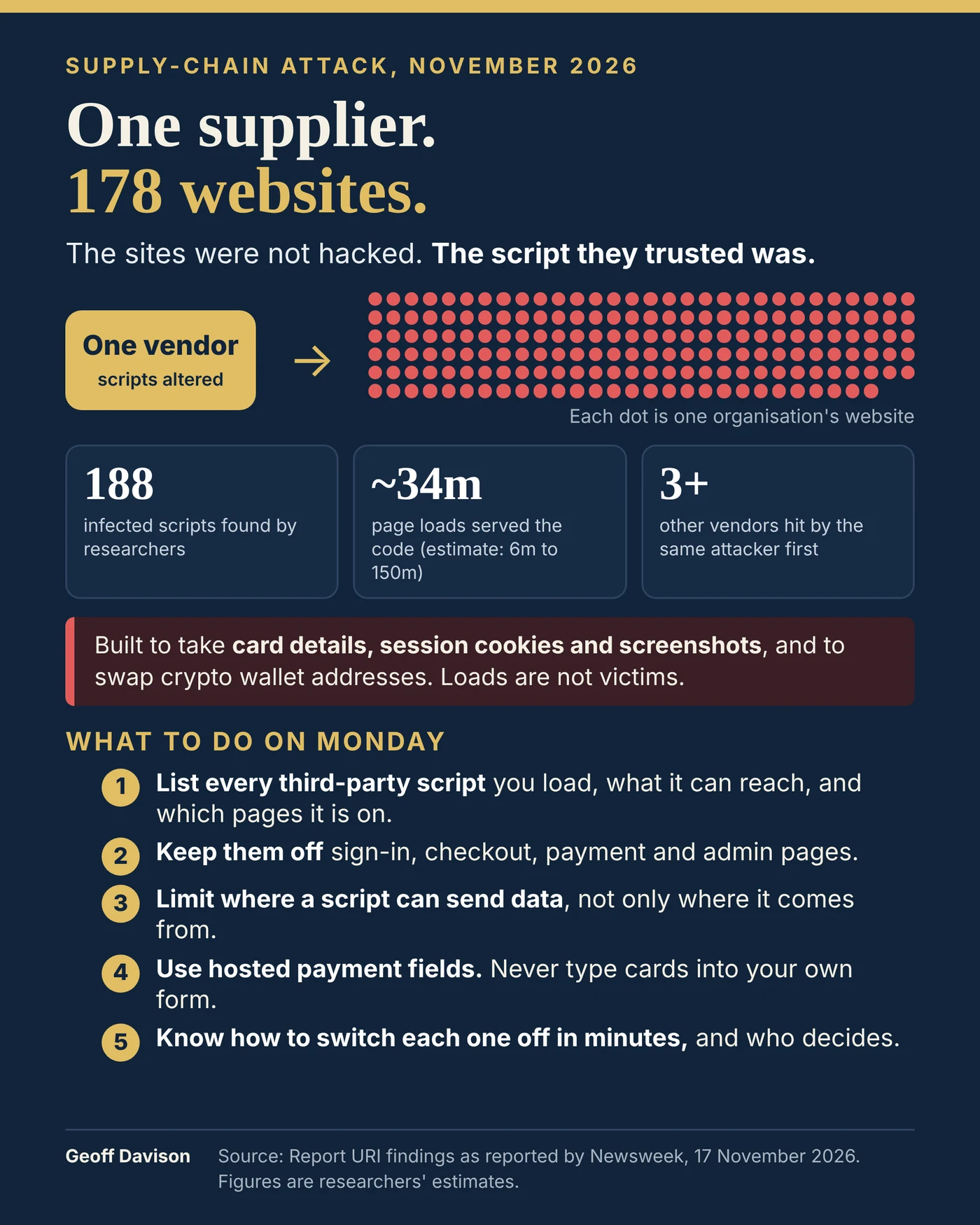
On Monday, researchers found malicious JavaScript in scripts hosted by Optimizely, a company that helps businesses test versions of their web pages. As reported, 188 scripts were infected, across 178 organisations, including banks, airlines and broadcasters.
The code was built to take card details, session cookies and screenshots, to swap cryptocurrency wallet addresses, and to push older iPhones towards an exploit kit. Researchers estimate around 34 million page loads served it, with a range of 6 million to 150 million. That counts loads, not victims, and nobody yet knows how many people lost anything. I'm relying on the published reporting, so check the latest before you quote any figure.
The part that should worry you
None of those 178 organisations had a flaw in its own code. They loaded a script from a supplier they trusted, and the supplier was compromised. One line on a page ran inside every customer's site at once.
A script from another company runs with the same powers as your own. It can read every form field and keystroke on the page that loads it, and every cookie not marked HttpOnly. "We trust the vendor" is a decision, not a control.
What I'd do on Monday
- List every third-party script you load. Analytics, chat, reviews, testing tools, tag managers. Record what each can reach and which pages it loads on. If a vendor is in the news tomorrow, you should be able to say within the hour whether you use it.
- Keep them off the pages that matter. Sign-in, checkout, payment, account settings, admin. No analytics tag needs to watch a password being typed. Testing tools rewrite your pages, so they are the most powerful third party of all. Test checkout steps on your own server.
- Limit where a script can send data, not only where it comes from. This attack came from an allowed source. A content security policy that also names the exact hosts your page may connect to, load images from and post forms to stops an altered script sending what it steals to a stranger.
- Never type card numbers into your own form. Use your payment provider's hosted fields. Mark session cookies
HttpOnly. - Be able to switch each script off in minutes, without a deployment. Salesforce disabled the scripts. Equifax stopped using the vendor. Decide now who makes that call, and how each vendor will tell you about a problem.
If it happens to you, record three things separately: exposed (your page loaded the script), executed (the bad code ran in a visitor's browser) and confirmed (data was taken). Say what you don't know. The researchers say the same attacker used at least three other vendors in the days before, so check yours whenever anyone else's is reported.
Your attack surface includes everyone you trust. Most of us would say we trust our suppliers. The better question is whether we are watching them, and what we would do in the first hour.
Could you list your third-party scripts today?
Source: Report URI findings as reported by Newsweek, 17 November 2026. Figures are researchers' estimates.